

Know Which Load Breaks a Clock.
Before You Dispatch It.
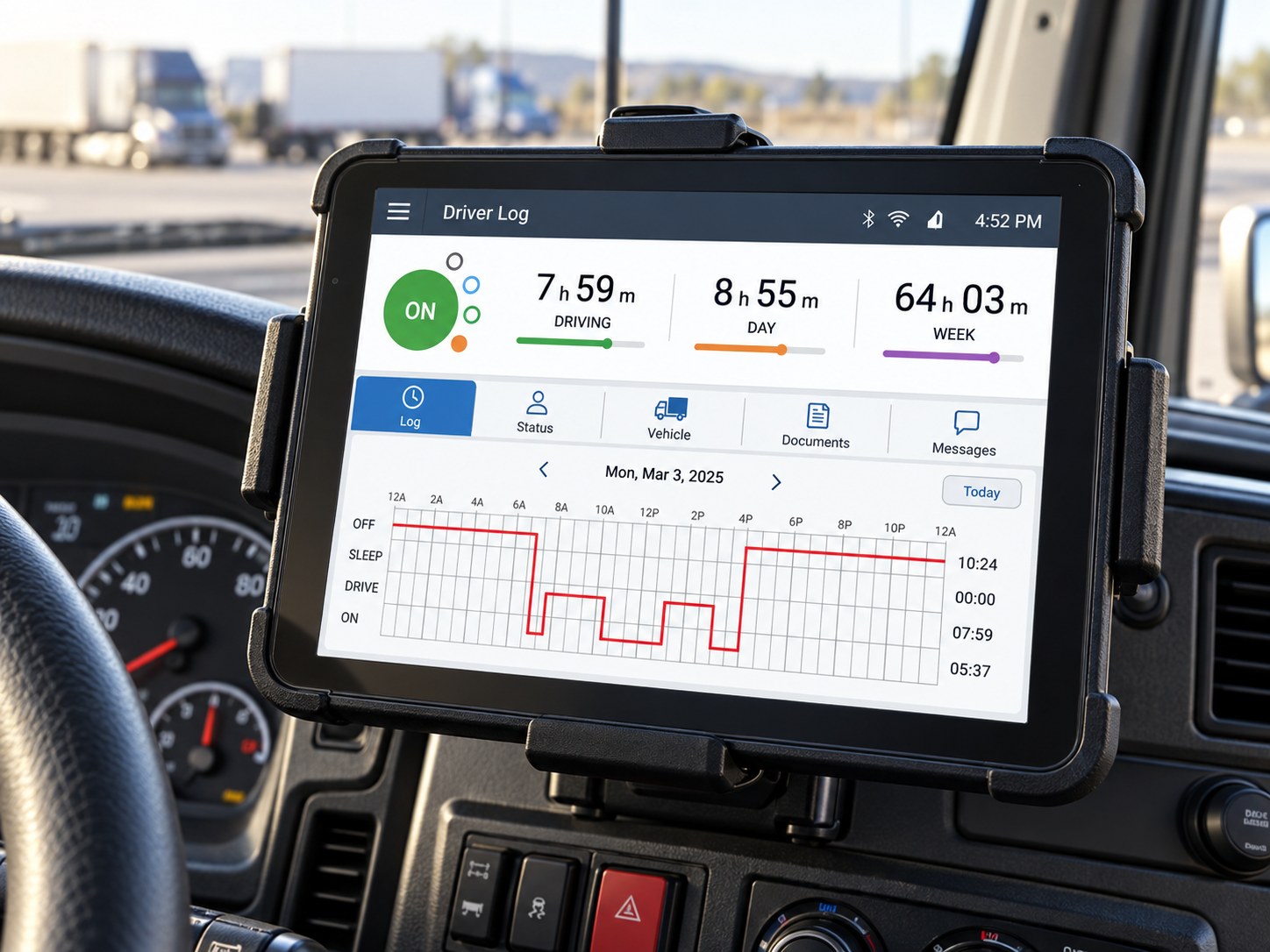
Your ELD records the hours. X3 HOS does the part it can’t. It audits every log against Part 395, predicts the violation before the truck leaves, coaches the driver, and builds the audit packet — on top of the ELD you already run.
Your ELD Records the Data. It Doesn’t Protect You.
Samsara, Motive, Geotab, Trimble, Omnitracs — they log hours beautifully. But the ELD won’t review a log for form-and-manner errors, catch a missing annotation, reconcile unassigned miles, coach the driver, or warn dispatch that the next load will blow a clock. The violations that hurt are the paperwork ones: unannotated edits, uncertified logs, personal-conveyance misuse. The ELD flags the limit. DOT audits the quality — and writes you up under §395.8.
Catching a bad log after the trip is damage control. Knowing the load breaks a clock before dispatch is prevention.

A Log Shouldn’t End as a PDF. It Should Become a Decision.
X3 reads every driver’s record of duty status the way an auditor does — against the full 49 CFR Part 395 property-carrying ruleset — and turns it into a live picture of who can legally drive, for how long, and what would be cited today.
11-hour drive, 14-hour window, 30-minute break, 60/70-hour cycle — per driver, right now.
Missing annotations, unannotated edits, uncertified logs — cited to the rule.
Unidentified ELD miles reconciled to the right driver before the window closes.
Personal conveyance and yard-move use checked against FMCSA guidance.
7/3 and 8/2 sleeper splits, 150 air-mile short-haul, adverse conditions — applied correctly.
Does this load fit this driver’s hours — or exactly where does it break?
Stop reading logs. Start knowing who can drive.

See the Violation Before You Dispatch.
X3 reads every driver’s live clocks from your connected ELD and tests the load against them — then tells dispatch, in plain English, which loads will break which rule and who to send instead.
Knows the clocks
Live 11-hour, 14-hour, 30-minute, 60/70-hour and cycle status for every driver, pulled from your ELD.
Tests the load
Enter or sync a load; X3 simulates the trip against the clocks and tells you if it fits — or exactly where it breaks.
Names a fix
A driver with hours, a split, or a reset window — so the load moves and nobody runs illegal.

- Driver J. Reyes breaks his 14-hour clock in 2h 10m if you assign this load — 1h 50m of drive left and no break logged.
- Re-assign to M. Bryant (6h 40m left) or split the load at Dayton. Violation avoided.
Connect Once. Audit Any Log, Anytime.
No new hardware, no switching ELDs. Pull live clocks from a connected Samsara or Motive account, and run a §395 audit on any driver’s duty-status timeline anytime — 11/14-hour, 30-minute break, 60/70-hour cycle, edits without annotations, uncertified logs, unassigned driving and long personal-conveyance moves — each finding tied to the exact cite and ranked by severity.
Don’t review logs. Review findings.
Connect
Native clock sync for Samsara & Motive; assisted setup for Geotab, Trimble & Omnitracs; paste or upload a duty-status timeline from any ELD.Audit
Clocks, edits, certifications and unassigned miles — checked whenever you run the audit.Cite
Each finding tied to the Part 395 rule it would be written up under.Prioritize
Ranked by severity — the log that fails an audit first, first.Act
Coaching scorecards per driver and an audit packet with a corrective-action plan.200 Drivers Shouldn’t Mean 200 Logs to Read.
A safety manager doesn’t need another inbox of ELD alerts. They need to know who is about to run out of hours, whose logs would fail an audit, and who is fine. X3 turns the whole driver population into tonight’s worklist.

A clock breaks on the next dispatch, or a log would fail an audit today.
A form-and-manner finding or unassigned miles that need a human before the window closes.
A pattern forming — late breaks, repeated edits — worth a plain-English scorecard conversation.
Nothing to do. Logs certified, clocks healthy.
Your safety team shouldn’t spend the morning proving 174 drivers are fine. It should spend it on the 12 who aren’t.
See Every Driver’s Hours Before Dispatch Starts.
One view of the fleet’s available hours, tonight’s findings, and the loads that won’t fit — the answer to “who can take this load, legally, right now?”

10 drivers or 10,000. One answer to “who can take this load?”

Keep Your ELD. Add the Brain.
One-click connect for the majors through each provider’s secure API, with your authorization. On a different ELD? Paste or upload the driver’s duty-status timeline and X3 audits it against Part 395.
Native API sync for Samsara and Motive; assisted setup for Omnitracs XRS, Geotab and Trimble. Different provider? Tell us who you use and we’ll add the integration.

Every Load Legal. Every Log Audit-Ready.
The Hours-of-Service BASIC follows you to every broker, shipper and insurer. Left to the ELD alone, it drifts up. Managed with X3 HOS, it comes down — because the violation was caught at dispatch, the log was fixed before the next audit, and the packet was ready the day the auditor called.
See the clock break before the truck leaves.
Every finding cited, ranked and in front of the right person.
Walk into the audit with RODS, supporting documents and corrective actions in one packet.
One Plan That Scales With Your Drivers.
Every tool included — and the more drivers you run, the less you pay per driver.
- ✓Log audit, cited to Part 395
- ✓Violation Predictor & live clocks
- ✓Driver coaching scorecards
- ✓Audit packet builder
- ✓ELD connectors & log upload, unlimited carriers
| Up to 10 drivers | $99 |
| 25 drivers | $249 |
| 50 drivers | $499 |
| 100 drivers | $749 |
| 250 drivers | $1,499 |
| 1,000 drivers | $5,249 |
Compliance assistance grounded in the applicable CFR — not legal advice, and not affiliated with FMCSA or USDOT. We connect to your ELD with your authorization; the carrier and driver remain responsible for records of duty status.
Frequently Asked Questions.
What safety managers and dispatchers ask before they put X3 HOS on top of their ELD.

What is X3 HOS?
Do I have to switch ELDs?
Isn’t this what my ELD already does?
How does the Violation Predictor work?
Does X3 monitor continuously?
Which Hours-of-Service rules are covered?
What happens when a log has a problem?
Does it work across multiple terminals?
Does AI replace our safety team?
How does pricing work?
How fast can we start?
You Already Have the ELD Data. Now Put It to Work.
Connect your ELD and X3 shows you tonight’s findings, tomorrow’s at-risk loads, and the packet you’d hand an auditor.